

OBJ File
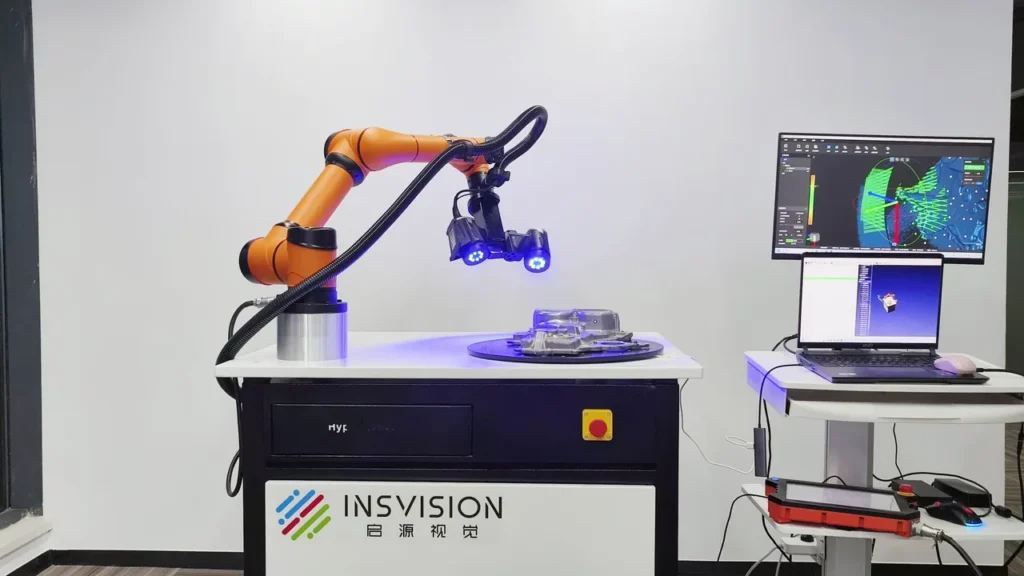
OBJ (or .obj) is an open standard 3D mesh file format originally developed by Wavefront Technologies for 3D graphics applications, now widely adopted across industrial 3D scanning, computer aided design (CAD), additive manufacturing, and 3D visualization.
Definition
OBJ (or .obj) is an open-standard 3D mesh file format originally developed by Wavefront Technologies for 3D graphics applications, now widely adopted across industrial 3D scanning, computer-aided design (CAD), additive manufacturing, and 3D visualization. The format stores static geometric data for 3D models, including vertex coordinates, polygon face definitions, vertex normals, and texture coordinates, and can reference external material (MTL) files to define surface appearance properties such as color, reflectivity, and texture maps. It is supported by nearly all commercial and open-source 3D software tools, making it a common choice for cross-platform 3D data exchange.
How It Works
OBJ files are most commonly encoded as plain text ASCII files, making them human-readable and easy to parse across different software platforms, though less common binary OBJ variants exist for reduced file size. Each line of an ASCII OBJ file starts with a two-character tag indicating the type of data stored on that line: v for 3D vertex coordinates, vt for 2D texture coordinates, vn for vertex normal vectors, and f for polygon face definitions, which reference vertices by index number to define the model’s surface. The format supports triangles, quads, and n-gons (polygons with more than four sides) for face geometry.
Surface appearance data is not embedded in the OBJ file itself; instead, a mtllib tag in the OBJ header links to one or more external .mtl files, which store material properties and reference separate texture image files. In industrial 3D scanning workflows, raw point cloud data captured by scanning systems is processed, registered, and converted to a watertight mesh, which is then exported to OBJ format by writing ordered vertex, normal, texture, and face data according to the format’s specification, with optional MTL and texture files if surface appearance data was captured.
Key Parameters and Criteria
The following parameters are used to evaluate OBJ file quality and suitability for industrial 3D scanning workflows, with performance varying based on export settings, scan resolution, and use case requirements:
| Parameter | Meaning | Judgment Method |
|---|---|---|
| Mesh Topology | The structural arrangement of polygon faces (triangles, quads, or n-gons) and their connectivity, which defines the 3D model’s shape and usability for industrial workflows. | Inspect for non-manifold edges, duplicate vertices, hole gaps, and face count consistency using dedicated 3D mesh inspection software. |
| Vertex Density | The number of vertices per unit of surface area, which corresponds to the level of fine geometric detail captured from 3D scan data. | Calculate total vertex count divided by the model’s total surface area; compare to the minimum detail resolution required for the intended use case. |
| Normal Vector Consistency | The alignment of vertex normal vectors, which control light interaction with the model surface for rendering and inspection workflows. | Render the model under uniform directional lighting to check for shading artifacts, or run automated normal vector validation in mesh processing software. |
| Associated File Completeness | The presence and correct linking of companion .mtl (material) files and texture assets, if surface appearance data is required. | Open the OBJ file in a cross-compatible 3D viewer to confirm materials and textures render as intended, or verify relative file paths in the OBJ’s text header. |
| Total File Size | The combined storage size of the OBJ file and all associated assets, which impacts data transfer, processing, and load times. | Sum the file sizes of the .obj, .mtl, and all linked texture files; compare to the processing and storage capacity thresholds of the target workflow. |
Suitable and Unsuitable Scenarios
Suitable Scenarios
- Cross-platform 3D data exchange between 3D scanning systems, CAD software, 3D slicers, and visualization tools, due to near-universal industry support for the format.
- Static 3D asset archiving for industrial parts, tooling, cultural heritage artifacts, and other objects where readable, easily accessible mesh geometry is a priority.
- Reverse engineering workflows where non-parametric mesh geometry is sufficient for design reference, modification, or conversion to a parametric CAD format.
- Basic dimensional inspection and defect visualization workflows that require high-fidelity geometric data and optional texture mapping to highlight surface flaws.
- Additive manufacturing workflows for non-parametric parts, as most 3D slicers support OBJ mesh input and can generate print toolpaths from watertight OBJ files.
Unsuitable Scenarios
- Parametric CAD workflows requiring editable design histories, feature trees, or dimensional constraints, as OBJ only stores static mesh geometry with no embedded design parameter data.
- Formal metrology-grade inspection requiring embedded metrology metadata such as GD&T annotations, tolerance thresholds, or measurement point labels, as the OBJ specification has no native support for these fields.
- Real-time animation or interactive 3D applications requiring rigging, skeletal data, keyframe animation, or kinematic data, which are not supported by the OBJ format.
- Workflows requiring single-file 3D asset packaging, as OBJ relies on separate MTL and texture files that can be lost, corrupted, or mislinked during data transfer.
- Ultra-high-precision workflows requiring embedded scan confidence values or per-point quality metadata, as OBJ does not natively support these per-vertex data fields.
Common Misconceptions
- Misconception: OBJ files support parametric CAD data
Clarification: OBJ is a static mesh format that stores only geometric and basic appearance data. It does not retain editable design parameters, feature histories, dimensional constraints, or other parametric CAD data, so imported OBJ meshes cannot be modified via parametric design tools without additional reverse engineering work.
- Misconception: OBJ is a universally lossless format for 3D scan data
Clarification: OBJ file quality is entirely dependent on export settings. Mesh decimation, polygon reduction, or downsampling of texture data during export will result in permanent loss of geometric or appearance detail, even when saved to the OBJ format.
- Misconception: All OBJ files are fully compatible across all 3D software
Clarification: Variations in face encoding (such as support for n-gons or vertex indexing methods), MTL file path formatting, and handling of non-standard data extensions can cause import errors, missing faces, or lost materials between different software platforms, even if both claim support for the OBJ standard.
- Misconception: OBJ is only suitable for visual rendering, not industrial use
Clarification: While OBJ is widely used for 3D visualization, high-density, watertight OBJ meshes are commonly used for industrial reverse engineering, additive manufacturing, and basic dimensional inspection when paired with appropriate processing software.
Related Concepts
- STL File: A simplified 3D mesh format that stores only vertex and face data, with no support for normals, textures, or materials, most commonly used for additive manufacturing workflows.
- PLY File: A flexible 3D mesh format that supports custom per-vertex data (such as color, scan confidence values, or quality metrics) often used for raw 3D scan data export.
- MTL File: The official companion material format for OBJ files, which defines surface properties including color, texture maps, reflectivity, and transparency, and is linked via a tag in the OBJ file header.
- Mesh Decimation: A mesh processing step that reduces the number of polygon faces in a 3D model, often used to reduce OBJ file size while preserving critical geometric detail for targeted use cases.
- Point Cloud: The raw, unstructured set of 3D coordinate points captured by 3D scanning systems, which is processed, registered, and converted to structured mesh formats including OBJ.
FAQ
Can OBJ files store color or texture data captured by 3D scanners?
OBJ files do not embed color or texture data directly. Instead, they reference external .mtl files that define surface properties and link to separate texture image files. 3D scanning systems that capture surface color or appearance data can export a complete OBJ asset package including the OBJ mesh, associated MTL file, and all required texture files for full appearance rendering.
Are OBJ files suitable for metrology-grade industrial inspection?
OBJ files can be used for basic dimensional inspection if the mesh is exported at sufficient resolution and maintains watertight, geometrically accurate geometry. However, the OBJ format has no native support for embedded metrology metadata such as GD&T annotations, tolerance thresholds, or measurement point labels, so additional processing or pairing with dedicated metrology software is required for formal, auditable inspection workflows.
How can I reduce the size of a large OBJ file exported from 3D scan data without losing critical detail?
Controlled mesh decimation is the most common method, which removes redundant polygon faces in low-detail regions of the model while preserving vertex density in high-detail areas such as sharp edges, curved surfaces, and small part features. If high-fidelity surface appearance is not required, texture resolution can also be reduced, or material and texture data can be omitted entirely during export to further reduce total file size.
Why do textures or materials disappear when I open my OBJ file in a different software tool?
This issue is almost always caused by broken relative file paths between the OBJ file, its associated .mtl file, and linked texture assets. When transferring OBJ files, all associated files must be kept in a consistent folder structure, and relative file paths should be used instead of absolute system-specific paths to ensure compatibility across different devices and software platforms.
Summary
The OBJ file is a widely adopted open-standard 3D mesh format used across industrial 3D scanning, CAD, additive manufacturing, and visualization workflows. Its simple ASCII structure, near-universal cross-platform support, and ability to store basic surface appearance data via companion files make it a versatile choice for general-purpose 3D data exchange. However, its lack of native support for parametric design data, metrology metadata, animation, and single-file packaging means it is not suitable for all industrial use cases. Users should validate mesh quality, associated file completeness, and workflow requirements when selecting OBJ as an export or exchange format for 3D scan data.
- What Is 3D Scanning? Principles, Workflow, and Industrial Applications 3D scanning is a digital measurement technology that converts the surface geometry of physical objects into 3D data. This entry covers its working principles, core parameters, industrial use cases, common misconceptions, and related technical…
- What Is a 3D Scanner? Types, Parameters, and Selection Criteria A 3D scanner captures three-dimensional surface data from physical objects and converts geometry, dimensions, and features into digital data for inspection, reverse engineering, and modeling.
- What Is 3D Scanning Accuracy? Accuracy, Repeatability, and Resolution Explained 3D scanning accuracy describes how closely scan data matches an object's actual geometry and dimensions. It is assessed through local accuracy, volumetric accuracy, stitching accuracy, repeatability, and resolution.
- What Is Point Cloud Data? Point Clouds, Meshes, and CAD Models in 3D Scanning Point cloud data is an important raw data format in 3D scanning. It consists of discrete 3D coordinate points that describe object surface geometry and support inspection, reverse engineering, modeling, and archiving.
Hangzhou Insvision Technology Co., Ltd.
Address: Building 1, No. 1399 Liangmu Road, Yuhang District, Hangzhou, Zhejiang 311121, China
Copyright © Hangzhou Insvision Technology Co., Ltd. All rights reserved.
Copyright © Hangzhou Insvision Technology Co., Ltd. All rights reserved.